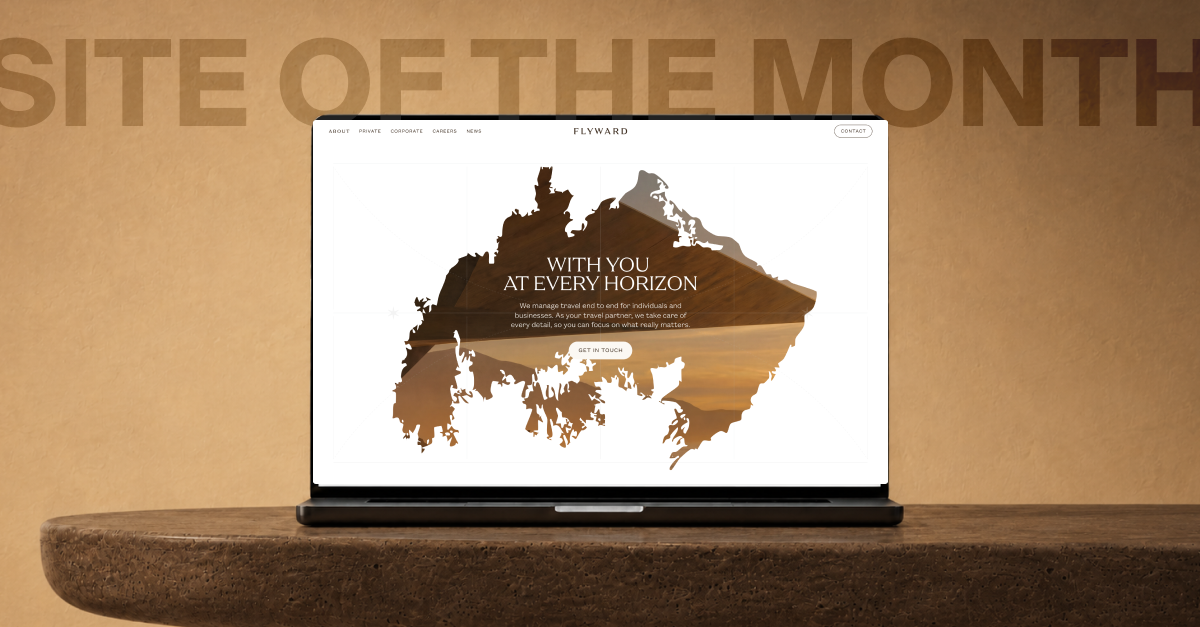
Our recent cases. Just a sample, from startups to F500.

Thank you! Your submission has been received!
Oops! Something went wrong while submitting the form.
Automotive
Aleksandra Serova
Brand and Marketing Director
No items found.

Why a $250K Branding Disaster Can Happen to Your Startup Too

I just witnessed something that made my stomach drop.

We started to work with a promising B2C startup that threw $250,000 at a prestigious branding agency... and completely abandoned everything 4 weeks after brand launch.

Here's what went wrong.

This wasn't some amateur operation. They got the full package – stunning logo, comprehensive brand guidelines, tone of voice documentation, business cards, t-shirts, etc. The kind of branding deck that wins design awards.

But then came the brutal reality check

Their best-performing marketing materials? Founder selfie videos shot on an iPhone. Raw, authentic, completely off-brand content that actually converted users.

The beautiful brand identity? Nowhere to be seen in their customer journey. Think about it – when did you last see a business card? I haven't touched one since COVID. Their target audience wasn't browsing LinkedIn profiles or admiring branded merchandise. They were scrolling TikTok and responding to authentic, unpolished content.

The real branding truth – when we work with well-funded startups (sometimes $10M+ rounds), we focus obsessively on just 3-4 touchpoints:
1) Your landing page (obviously)
2) Sales presentations (for B2B)
3) Ad creatives (for B2C)
4) Your actual product interface

Everything else? Noise.

Here's what nobody talks about: Your brand will evolve whether you plan for it or not. That intern making $700/month in Poland who's cranking out your social media content? They're actually defining your brand more than that expensive agency ever will.

Funny and expensive lesson I got recently – we designed beautiful fintech cards for younger users, then the startup pivoted to target 40+ affluent customers. Guess what? Our "award-worthy" design suddenly looked completely wrong for the new demographic.

The lesson? Your brand needs to be built for iteration, not perfection.

Hence my battle-tested approach:

  1. Identify your 2-3 critical brand touchpoints. Where do customers actually experience your brand? Focus there.
  2. Launch fast, iterate faster. Your post-launch brand (after months of conversion optimization) will look nothing like your initial design.
  3. Prepare for reality That junior designer optimizing your ad performance? They're your real brand designer.

Photo attached? Our Design Director in his racing suit completely branded in Humbleteam branding 💪

replies
No items found.
Aleksandra Serova
Brand and Marketing Director
No items found.

Redesigns Don’t Always Solve the Problem

Sometimes, UX fails not because the visuals are bad, but because the real issue was never identified.

I’ve seen products invest months into shiny redesigns, only to face the same complaints from users. Why? Because the bottleneck wasn’t colors or layouts- it was flows, onboarding, or even misaligned incentives.

One project we worked on looked “outdated” at first glance.

The client wanted a visual refresh. But user research revealed the actual pain: customers couldn’t complete a critical task without asking for support. No color palette would fix that.

Instead of pushing pixels, we restructured the flow, simplified decision points, and cut the support tickets in half. The UI looked fresher, yes–but the real win came from solving the underlying friction.

So before thinking “redesign,” ask: do we actually understand the problem? Are we chasing aesthetics, or outcomes?

Because in UX, beauty without usability is just decoration.

replies
No items found.
Sergey Krasotin
Design Director
No items found.

9 UX Lessons I Keep Coming Back to

At Humbleteam, we’ve shipped for YC, a16z, and Fortune 500 teams. Different industries, different users, more than 150 – yet the same UX traps appear again and again.

Here’s what I’ve learned:

  1. Onboarding breaks most often at step 2 – that’s where users drop.
  2. Founders almost always forget empty states – yet they shape first impressions.
  3. Slow sign-up flows kill trust faster than ugly design.
  4. Error states aren’t “edge cases.” They’re daily life.
  5. The first screen of a landing decides 80% of scroll behavior.
  6. Microcopy saves more conversions than animations ever will.
  7. Research isn’t a “phase.” It’s a constant pulse.
  8. Users care less about your brand story than about finishing a task.
  9. The right defaults matter more than the right color palette.

These patterns repeat, no matter if it’s fintech, SaaS, or AI. Ugly wireframes with clear flows will always outperform pixel-perfect confusion.

Samantha Jollivet
They went beyond by putting in overtime hours when necessary to ensure the project's success.
23
11
4
12
replies
Tangible Markets
Operations Coordinator
No items found.
Sergey Krasotin
Design Director
No items found.

Cheap Models Win Most Automations

This summer we shipped UX for 10+ AI products at Humbleteam. Biggest lesson – for routing, tagging, and summarising, the smallest and cheapest ChatGPT tier worked as well as the premium models while cutting run costs by multiples.

Users never asked which model we used. Nobody cared about ChatGPT vs Claude. They cared that the result was clear, fast, and reliable.

Here is a simple side-by-side we like to demo:

Prompt: “Summarise this customer email into 3 bullets – issue, severity, next step.”

Cheapest nano model: Issue: card top-ups fail on weekends for Czech users. Severity: high – payments blocked. Next step: roll back PSP routing change and notify affected users.

Expensive model: Issue: weekend card top–ups failing for CZ merchants. Severity: high – revenue at risk due to blocked payments. Next step: revert PSP update and send update.

Different price, same decision :)

For many backend automations, pick the smallest model first. Upgrade only when you can prove the lift.

Let's design!
replies
Fintech
Health-Tech
No items found.

The Best Way to Improve Your Website

Users don’t read. They don’t scroll. They don’t care.

And yet, most landing pages act as if they do. Long copy. Clever headlines. Walls of benefits.

We recently redesigned a landing page for a fintech client and cut the copy by 60%. Instead of writing more, we removed friction: auto–filled forms, focused CTAs, and a single “what happens next” message.

The result? 2× sign–ups. Not because we explained more - but because we respected the fact that users don’t want to think hard to act.

Design isn’t about forcing people to care. It’s about reducing effort until action is the obvious choice.

Build for the lazy click. Measure the impact.

replies
Sports
Aleksandra Serova
Brand and Marketing Director
No items found.

A Fact About Gen Z to See Apps For This Audience Differently

How do you feel about online contacts? Are they real friends or just names on a list?

We’re running research on fan experiences – and what I keep hearing: many 30+ users call internet contacts “just acquaintances.” But Gen Z doesn’t.

A Minecraft teammate can feel as close as a classmate.

Online or offline, the sense of responsibility to the relationship feels the same. What does this mean for products?

Give people a way to keep the thread alive after micro-moments.

One tap to connect after a co-watch or co-play.

Sports example: you buy two adjacent seats, and the app suggests “Say hi to your neighbour”. The chat stays open before and after the match and gives users more reasons to remember about your app.

This shifts how we usually think about fan apps and experiences. Something to think about.

replies
No items found.
Sergey Krasotin
Design Director
No items found.

Why Figma Plugins are the New Junior Designers

Last week our team did a simple check – everyone listed the plugins they use in their daily workflow. The result was eye-opening.

Think about it.
→ There’s a plugin that rewrites your copy.
→ A plugin that turns meeting notes into prototypes (WixPilot – I use it every day, highly recommend).
→ A plugin that generates piles of K-visuals.

What used to be the job of a junior UI, illustrator, or graphic designer is now heavily automated.

I looked at my own setup. Each month I spend around $105 on plugins. It’s worth every cent. Here’s my quick test:
• If you spend $0 – your design process is probably stuck.
• $20–30 – you’re just starting.
• $100+ – you’re building with serious speed.

I’m still waiting for the plugin that automates half my workflow. Until then, we also look at plugin use when hiring. If a candidate doesn’t use any, it’s usually not a good sign.

replies
No items found.
Sergey Krasotin
Design Director
No items found.

14 Tools to Automate Design

AI for animation:

• Runway Gen–4 – fast text-to-video with great motion realism.
• Kling – longer shots, smoother camera work.
• Wan – crisp detail and steady character movement.
• Veo 3 – cinematic control and consistent lighting.
• Sora 2 – extended clips with richer storytelling.
• Midjourney Video – quick style tests and mood explorations.

Figma plagins for different purposes

AI and generation:

• UX PILOT – generates user flows. Our team lives in it.

Assets and brands:

• Iconify – 275k+ icons with clean SVG import.
• Brandfetch – pulls logos, colours and fonts by company domain.

Content and data:

• Content Reel – ready strings, avatars, icons and your own libraries from Microsoft.
• Google Sheets Sync – maps copy and images from Sheets to layers by tags.
• CopyDoc – export or import copy to DOCX, XLSX, CSV and localisation tables.

Linting and cleanup for big design systems:

• Design Lint – finds inconsistent styles before handoff.
• Clean Document – removes hidden layers, flattens single groups, snaps to pixel.

replies
We use cookies to enhance your browsing experience,
serve personalised ads or content, and analyse our traffic.
By clicking "Accept All", you consent to our use of cookies.
Privacy policy